The All Deals table allows you to display all the information you need about each deal. The deals table lists all the deals available in your Workspace, whether they generate revenue, or not. It is possible to filter deals on all dimensions, as shown below. You can also customize the metrics in order to show or hide columns, like shown below.
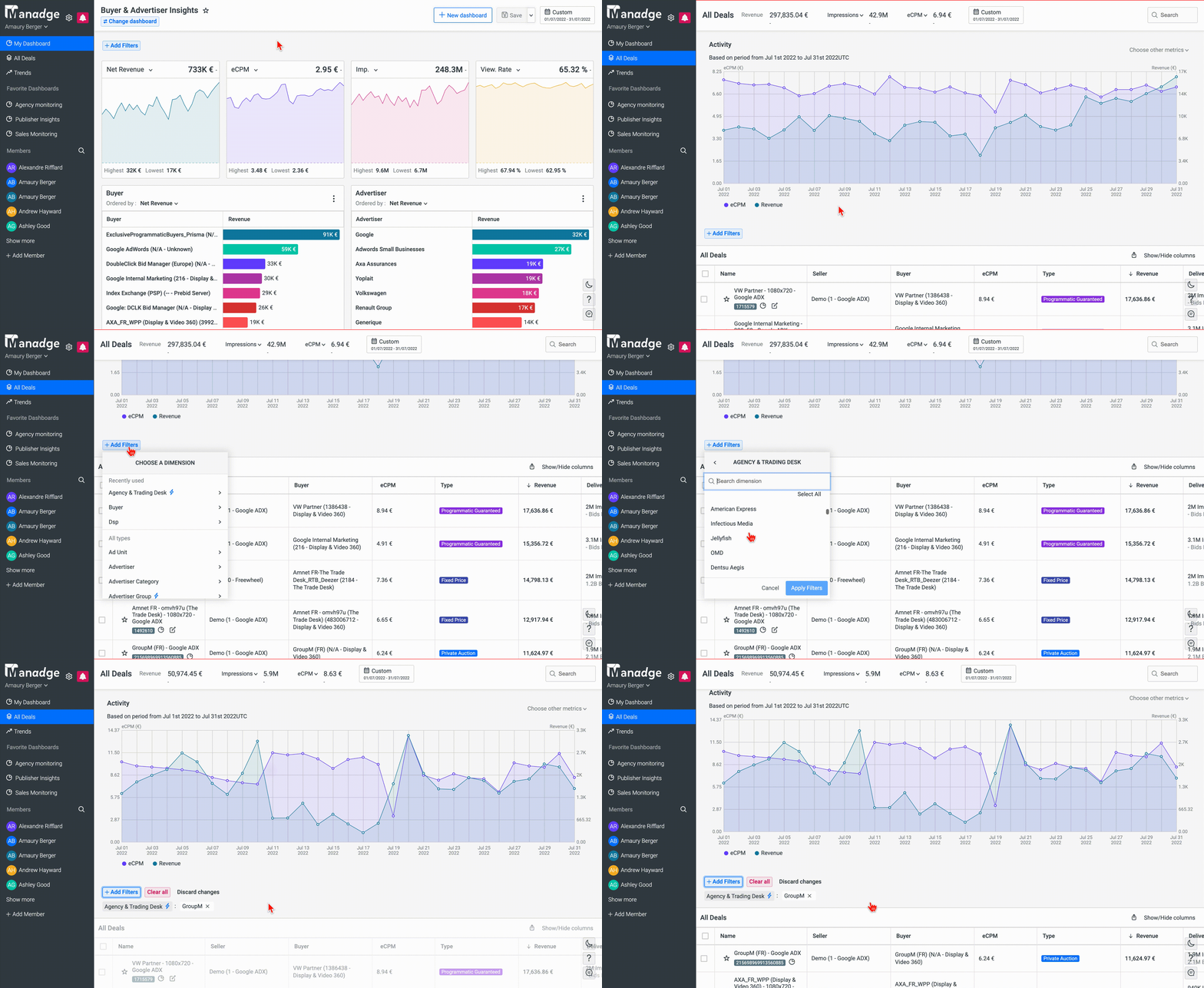
You have full access to all available metrics and dimensions. You can select the indicators and information you want to appear :
Default : Global view on your deals.
Name / CPM / SSP / DSP Seat / Type / Revenue / Delivery / Last Update
Delivery : Analyze the delivery of your deals.
Name / eCPM / Revenue / Impressions / Bids Requests / Bids Responses / Participation Rate / Win Rate
Performance : Analyze the performances of your deals.
Name / DSP Seat / eCPM / Revenue / Delivery / CTR / Viewability Rate / VTR
Customize : customize your own table.