Export is a feature to help you get more precise insight of your data by generating custom reports directly through your workspace, available in the top left drop-down menu :
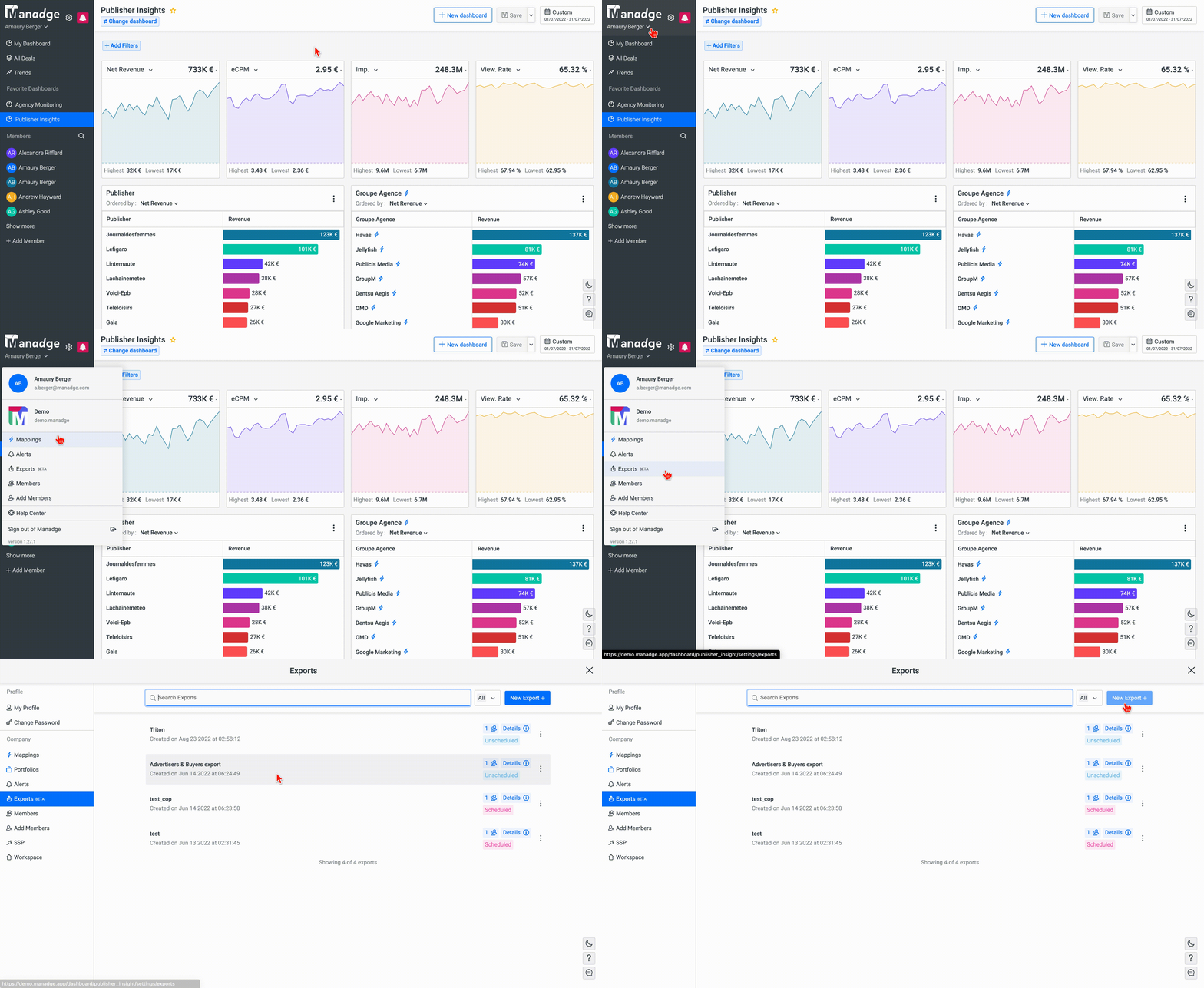
Once you click on "Export", you're redirected to this new page where you can generate a "New Export" :

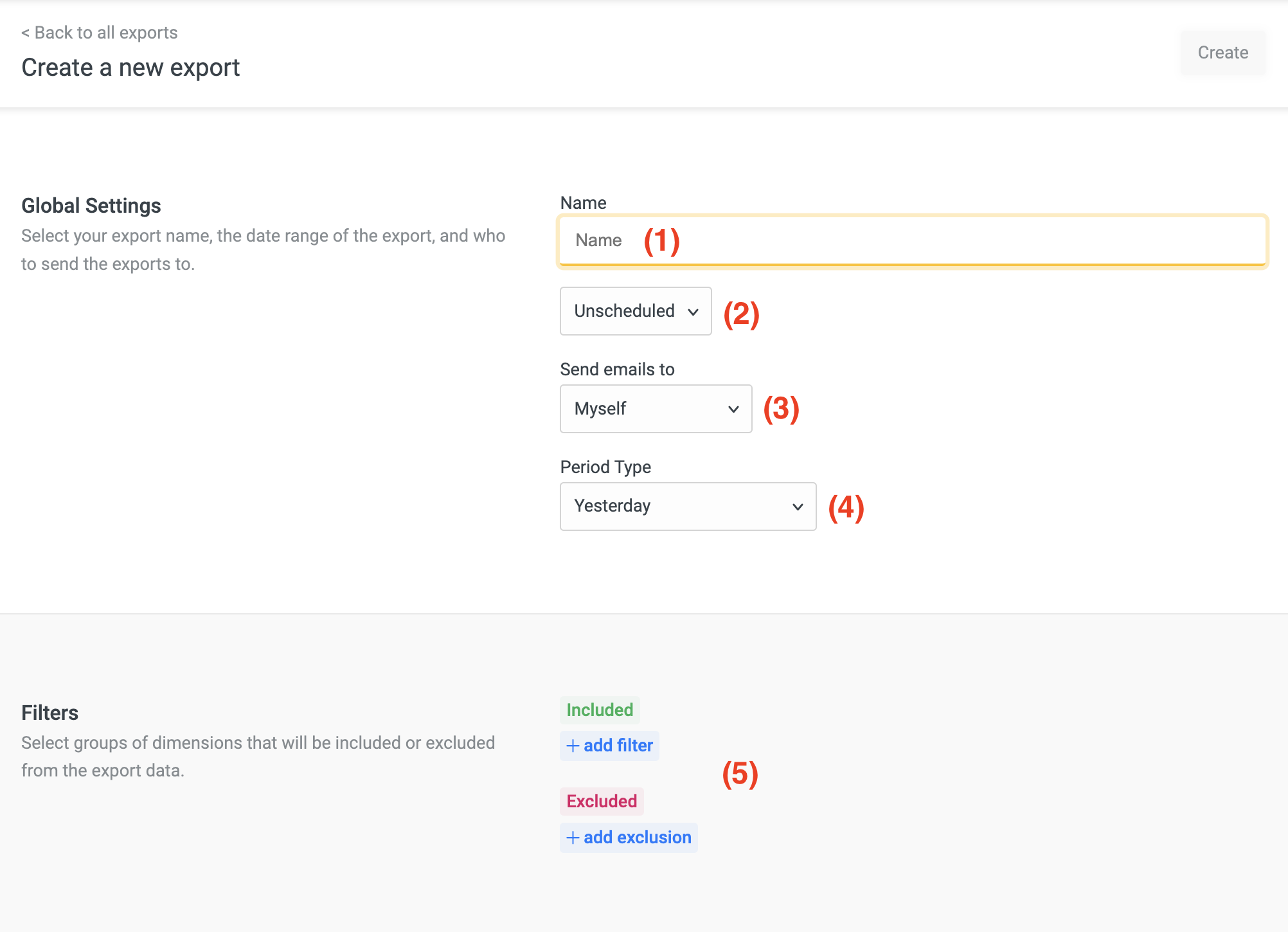
As you can see in the first part, you have now multiple fields to fill-in before creating your report :
(1) - The name of your report as it will appear in the email or your list of created exports.
(2) - Chose if you want to receive this report one time (Unscheduled) or multiple times (Scheduled).
(3) - The recipient of your report, if you want to send it only to you or other members of your organization.
(4) - The period of time covered by your report.
(5) - The filters section, if you want to include or exclude certain values from dimensions of your choice.
The second part is where you chose the Dimensions and Metrics of your report :
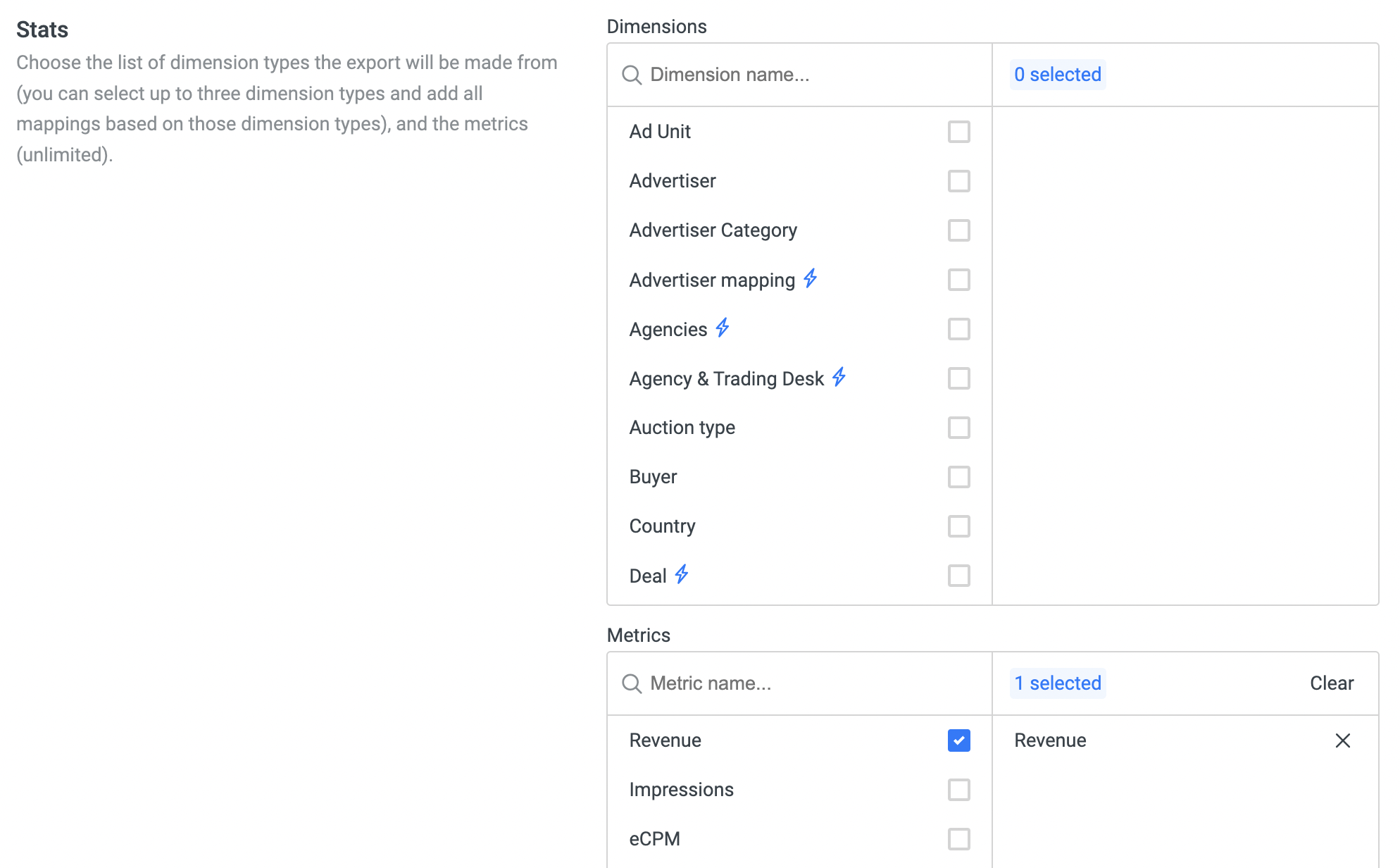
Manadge for Sellers users can add up 3 dimensions. Manadge for Triton users can add up to 6 dimensions.
You can also choose as many metric as you want in your reports.
Once you hit the Create button, you will be able to download the report from the platform. It can also be sent to your email address.